RAW vs JPEG for Astrophotography
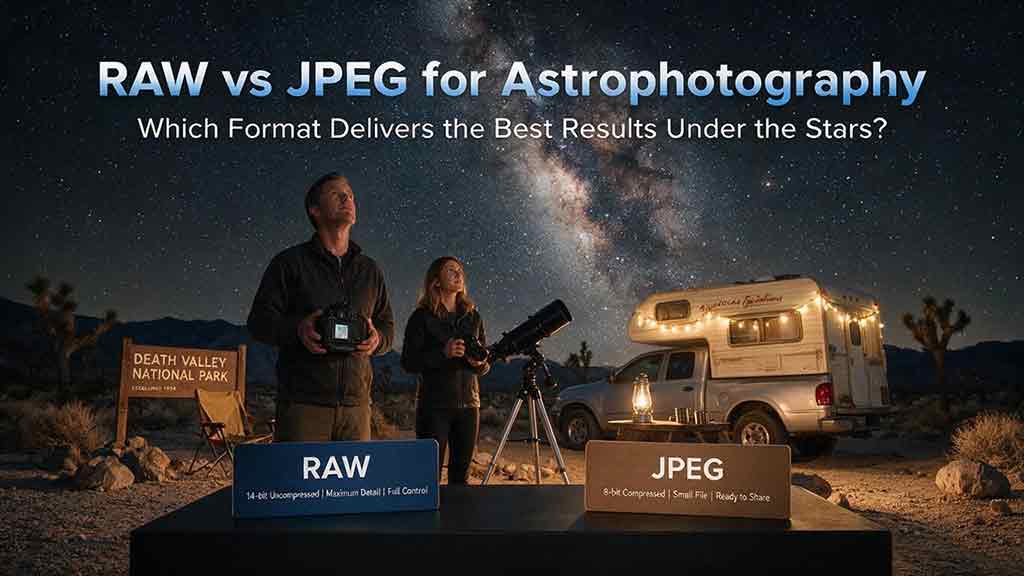
RAW vs JPEG for Astrophotography
For most astrophotography, shoot RAW. A RAW file preserves substantially more sensor data and gives you greater control over white balance, shadow recovery, color gradients, noise reduction, and stacking. JPEG is useful when speed, storage, or immediate sharing matters, but its in-camera processing and lossy compression leave less room for correcting faint stars and dark skies.
Key Takeaways
- RAW is the better default for Milky Way, nightscape, and deep-sky photography because it preserves more tonal information and editing flexibility.
- JPEG can still be practical for quick sharing, carefully exposed lunar images, test frames, or very long sequences where storage and write speed matter.
- RAW cannot repair clipped highlights, missed focus, star trailing, or insufficient captured signal.
- A JPEG is already demosaiced, sharpened, tone-mapped, color-rendered, and compressed by the camera; a RAW file lets compatible software make more of those decisions later.
- If workflow speed matters, RAW+JPEG can provide an editable master and a ready-to-share version, at the cost of additional storage.
This guide explains what each format records, why the differences matter in dark-sky editing, when JPEG is reasonable, and how to choose a practical capture workflow for your camera and subject.
Methodology note: This guide is based on published camera documentation, official image-processing references, and established astrophotography preprocessing principles rather than hands-on testing of every camera and RAW format.
Which Is Better for Astrophotography: RAW or JPEG?
RAW is usually better when image quality and editing control matter; JPEG is better when convenience is the main priority.
Astrophotography frequently requires stronger adjustments than daylight photography. A night-sky file may need white-balance correction, gradient removal, shadow lifting, color calibration, noise reduction, lens correction, or alignment with many other exposures. RAW preserves more useful information for those operations.
JPEG is not automatically “bad.” A well-exposed JPEG can look excellent, especially when the camera’s color, noise reduction, contrast, and sharpening settings suit the scene. The limitation is that those decisions have already been applied and some image information has been discarded through lossy compression.
RAW vs JPEG at a Glance
| Feature | RAW | JPEG |
|---|---|---|
| Data recorded | Minimally processed sensor data plus metadata | Camera-rendered image |
| Typical bit depth | Often 12-bit or 14-bit, depending on camera and mode | Commonly 8-bit per color channel |
| White balance | Recorded as metadata and broadly adjustable during RAW development | Applied to rendered pixels; later correction is more limited |
| Tone curve and picture style | Usually interpreted later by RAW software | Applied in camera |
| Sharpening and noise reduction | Mostly controlled during processing, though camera-specific behavior varies | Usually applied in camera |
| Compression | May be uncompressed, lossless compressed, or lossy compressed | Lossy compression |
| File size | Usually larger | Usually smaller |
| Software requirement | Requires compatible RAW-processing software | Opens on almost any modern device |
| Stacking and calibration | Preferred for controlled astrophotography workflows | Possible, but less flexible and less consistent |
| Immediate sharing | Requires development or conversion | Ready to view and share |
| Best use | Maximum editing latitude and technical processing | Speed, simplicity, and storage efficiency |
Camera implementations differ. “RAW” is a category of manufacturer-specific formats, not one universal file type, and a RAW file is not necessarily uncompressed. Canon documents lossless compression for standard RAW and some lossy compression for C-RAW, while Nikon cameras may offer lossless and high-efficiency RAW options. (Canon Europe — Image Formats: RAW, JPEG, HEIF and Compression) (Nikon — RAW Recording: Compression Options)
What Does a RAW File Actually Preserve?
A camera RAW file stores sensor measurements and capture metadata before the camera creates a conventional finished image. Compatible software later interprets the mosaic data, applies a camera profile, performs demosaicing, and renders color.
Adobe describes camera RAW as sensor data that can be reprocessed with different white balance, tonal, contrast, saturation, and sharpening choices while preserving the original RAW data. (Adobe — Introduction to Camera Raw) That flexibility is especially useful when faint sky detail occupies a narrow tonal range.
RAW Does Not Mean “Untouched”
The phrase “unprocessed RAW” is useful shorthand, but it is not perfectly literal. Camera manufacturers can apply black-level handling, defective-pixel mapping, compression, metadata instructions, and other camera-specific operations before writing the file.
The practical point is not that RAW is a flawless dump of every electrical measurement. The practical point is that RAW usually preserves substantially more pre-rendered information and postpones more image-making decisions than JPEG.
Why Does Bit Depth Matter?
Many interchangeable-lens cameras record RAW data at 12-bit or 14-bit precision. Nikon, for example, documents both options on some cameras and notes that 14-bit files contain more color data and are larger. (Nikon — RAW Recording: 12-Bit and 14-Bit) Canon lists 14-bit RAW and 8-bit JPEG for several current models, while also noting that certain shooting modes may reduce RAW conversion to 12-bit. (Canon Europe — EOS R8 Specifications)
Nominally:
- 8-bit data can represent 256 code values per rendered channel.
- 12-bit data can represent 4,096 code values per sensor sample.
- 14-bit data can represent 16,384 code values per sensor sample.
These numbers do not mean a 14-bit file automatically contains usable detail in every level. Sensor noise, exposure, clipping, camera electronics, and processing all affect real image quality. Higher bit depth mainly provides finer numerical steps and more room for demanding tonal adjustments.
What Happens When the Camera Creates a JPEG?
A JPEG is a finished interpretation created by the camera. Before saving it, the camera normally performs operations such as:
- Demosaicing the sensor pattern
- Applying white balance
- Selecting a color rendering or picture style
- Applying a tone curve and contrast
- Adding sharpening
- Applying camera-selected noise reduction
- Converting the image to a standard color space
- Reducing it to the JPEG output bit depth
- Applying lossy compression
Adobe notes that camera JPEGs are automatically processed and compressed, leaving less control over how that rendering was performed. (Adobe — Introduction to Camera Raw) Nikon similarly describes JPEG as a broadly compatible, smaller format in which much of the image information is already baked in. (Nikon USA — Is Shooting RAW or JPEG Better for You?)
A JPEG may look more attractive on the camera screen because it already contains a tone curve, saturation, sharpening, and noise reduction. A newly opened RAW file can initially look flatter or darker because the RAW processor is creating a different interpretation.
Why Does RAW Matter More in Astrophotography?
Night-sky photographs often contain weak signals, smooth gradients, saturated stars, dark foregrounds, and color contamination from artificial light. These characteristics expose the limitations of aggressive rendering and compression more quickly than many ordinary daylight scenes.
1. White Balance Is Easier to Correct
Night scenes may be affected by moonlight, airglow, aurora, LED lighting, sodium lighting, or mixed foreground illumination. With RAW, the recorded white-balance setting usually acts as metadata that guides the initial rendering; the RAW processor can reinterpret the data using another temperature and tint.
A JPEG can still be color-corrected, but large changes operate on pixels that have already been rendered. Strong corrections may increase color noise, posterization, or channel clipping.
2. Smooth Sky Gradients Are More Resilient
A clear night sky may appear almost uniform, yet subtle gradients exist because of light pollution, atmospheric scattering, vignetting, and natural sky brightness. Heavy editing of an 8-bit JPEG can reveal banding in those smooth transitions.
Canon explains that higher-bit-depth files can retain smoother color and tonal gradations than an 8-bit JPEG. (Canon Europe — Image Formats: RAW, JPEG, HEIF and Compression) RAW does not guarantee a banding-free result, but it provides a stronger starting point for gradient correction and tonal expansion.
3. Shadow and Highlight Adjustments Have More Latitude
Milky Way photographs often require simultaneous control of a dark foreground and brighter sky features. RAW generally gives the editor more room to adjust shadows, highlights, black level, and local contrast before visible artifacts become severe.
However, RAW is not a substitute for proper exposure. If a bright light, the Moon, or a star core is clipped at capture, the missing information may not be recoverable. If the foreground contains almost no signal, aggressive lifting will reveal noise rather than hidden detail.
4. Noise Reduction Can Be Matched to the Image
A camera must choose a generic JPEG noise-reduction strategy at capture time. RAW lets the photographer balance color-noise reduction, luminance-noise reduction, sharpening, and detail retention later.
This is valuable because astrophotography noise is not one uniform problem. A frame may contain random noise, hot pixels, fixed-pattern structure, color mottling, and compression artifacts. One strong in-camera JPEG setting cannot optimally address every component.
5. RAW Supports More Controlled Stacking and Calibration
Astrophotography stacking aligns and combines multiple images to improve signal-to-noise ratio and detail. Siril describes stacking as the alignment and averaging of frames to reduce noise and increase signal-to-noise ratio. (Siril Documentation — Stacking)
For deep-sky workflows, preprocessing may also use dark, flat, or bias frames to reduce unwanted signals before demosaicing and stacking. (Siril Documentation — Preprocessing) RAW is preferred because the software can work with less-rendered sensor data and apply a consistent conversion.
JPEG files can be aligned and stacked, but the camera has already applied white balance, tone mapping, noise reduction, sharpening, and compression. Those operations can complicate calibration and may vary when automatic settings are active.
Can You Stack JPEG Images?
Yes, JPEG images can be stacked, but RAW is normally the better source format.
JPEG stacking can still reduce random noise when the frames are aligned and averaged. It can be a workable choice for star trails, casual nightscapes, or sequences captured by a device that does not offer RAW.
For the most controlled result:
- Use manual exposure.
- Lock white balance.
- Disable automatic scene optimization when possible.
- Keep picture style, sharpening, and noise reduction constant.
- Use the highest JPEG quality setting.
- Avoid mixing RAW-derived files and in-camera JPEGs in the same calibration stack.
- Do not expect JPEG calibration frames to behave exactly like minimally processed RAW calibration data.
When a stacking application accepts RAW files, check its documentation for the correct conversion, Bayer pattern, debayering, color-management, and calibration settings.
When Is JPEG a Reasonable Choice?
JPEG can be appropriate when the advantages of a smaller, immediately usable file outweigh the need for extensive editing.
JPEG May Be Enough for:
- A carefully exposed Moon image intended for quick sharing
- Location scouting and test exposures
- A simple night-sky image that needs only minor adjustment
- A long star-trail sequence when card capacity is a limiting factor
- Time-lapse capture when write speed, buffer behavior, or storage is critical
- Educational documentation where technical convenience matters more than maximum processing latitude
- A phone or compact camera that cannot provide a practical RAW workflow
JPEG Is a Weak Choice for:
- A Milky Way image that will receive strong shadow and color adjustments
- Deep-sky imaging with dark, flat, or bias calibration
- Large prints or aggressive cropping
- Difficult mixed lighting
- Severe light-pollution gradient removal
- Composites that require close color matching
- Images that may need to be reprocessed in the future
The dividing line is not whether the subject contains stars. It is how much control the final image requires.
Which Format Should You Use for Each Astrophotography Scenario?
| Scenario | Recommended format | Why |
|---|---|---|
| Single-frame Milky Way nightscape | RAW | Maximum flexibility for sky color, foreground shadows, and noise |
| Stacked Milky Way sequence | RAW | More consistent conversion and stronger tonal latitude |
| Deep-sky DSLR or mirrorless workflow | RAW | Better suited to calibration, debayering, registration, and stacking |
| Milky Way panorama | RAW | Easier exposure, color, and gradient matching across frames |
| Star-trail sequence | RAW preferred; high-quality JPEG can work | RAW preserves flexibility; JPEG saves space and may speed the sequence |
| Meteor-shower sequence | RAW if storage permits | Meteors can be faint and benefit from careful processing |
| Aurora photography | RAW | Rapid color and brightness changes require flexible correction |
| Lunar still for immediate sharing | JPEG or RAW+JPEG | A well-exposed JPEG may be sufficient; RAW remains useful for refinement |
| Night-sky time-lapse | RAW, JPEG, or RAW+JPEG depending on storage | Choose based on edit depth, interval reliability, and delivery needs |
| Smartphone astrophotography | RAW/DNG when supported and practical | Gives more control over processing; computational modes may behave differently |
Should You Shoot RAW+JPEG?
RAW+JPEG is useful when you need both an editable master and an immediate preview or deliverable.
The camera records two files for each exposure. Canon camera manuals, for example, document simultaneous RAW and JPEG or HEIF recording on supported models. (Canon — EOS R8 Image Quality and RAW+JPEG Recording)
RAW+JPEG Advantages
- A JPEG is ready for quick review or sharing.
- The RAW file remains available for detailed processing.
- The JPEG can act as a reference for the camera’s intended color rendering.
- A client, editor, or companion can review images without RAW software.
RAW+JPEG Disadvantages
- It consumes more card and backup space.
- Ingest and culling can become more complicated.
- Duplicate filenames can confuse poorly organized workflows.
- The camera may clear its buffer more slowly in rapid sequences.
- It can encourage keeping unnecessary duplicate files.
For a planned night of stacking, RAW alone is usually simpler. For travel, teaching, social posting, or fast review, RAW+JPEG can be a practical compromise.
Does Compressed RAW Reduce Astrophotography Quality?
The answer depends on whether the compression is lossless or lossy.
Lossless-Compressed RAW
Lossless compression reduces file size without discarding the decoded image information. It is usually the sensible default when the camera offers it, because it saves storage without intentionally removing image data.
Lossy-Compressed or High-Efficiency RAW
Some cameras offer smaller RAW options that use camera-specific lossy or high-efficiency encoding. These formats can be visually excellent, but the trade-offs vary by camera, ISO, exposure, and software support.
For routine Milky Way photography, a modern high-efficiency RAW option may be adequate. For calibration-heavy deep-sky work, extreme shadow recovery, scientific measurement, or long-term archiving, use standard or lossless-compressed RAW unless reliable testing for the exact camera shows no relevant disadvantage.
Reduced-Resolution RAW
Some cameras provide small or medium RAW files. These may not simply be full RAW files with fewer pixels; implementation differs by manufacturer. Check the camera manual before using them for stacking, calibration, or precise sampling.
A Practical Decision Framework
Use the following sequence:
Step 1: Will You Make Strong Adjustments?
- Yes: Choose RAW.
- No: Continue to Step 2.
Step 2: Will You Stack or Use Calibration Frames?
- Yes: Choose RAW whenever the camera and software support it.
- No: Continue to Step 3.
Step 3: Is Immediate Sharing Important?
- Yes: Choose RAW+JPEG, or JPEG if the photograph is disposable and well exposed.
- No: Continue to Step 4.
Step 4: Is Storage or Sequence Reliability the Main Constraint?
- Yes: Compare lossless-compressed RAW, high-efficiency RAW, and maximum-quality JPEG with a real interval test.
- No: Choose RAW.
Step 5: Is the Image Important or Irreplaceable?
- Yes: Choose RAW or RAW+JPEG.
- No: JPEG may be sufficient.
This framework deliberately prioritizes future editing flexibility. Storage can be expanded later; discarded capture information cannot be restored.
Worked Example: A Milky Way Frame With Difficult Color
Consider a hypothetical Milky Way exposure with these problems:
- The foreground is darker than intended.
- The sky is too warm because of nearby lighting.
- Vignetting creates a corner gradient.
- High ISO introduces visible color noise.
- The image will be printed rather than viewed only on a phone.
Starting From RAW
A RAW workflow can reinterpret white balance, apply a camera and lens profile, adjust the black point, lift the foreground selectively, reduce color noise, and correct vignetting before export. The higher precision of the source data gives the editor more room to make those changes gradually.
Starting From JPEG
A JPEG can still be improved, but the warm white balance, contrast curve, sharpening, noise reduction, and color rendering are already part of the pixels. Large shadow and color corrections are more likely to reveal banding, halos, compression artifacts, or color breakup.
What Neither Format Can Fix
Neither RAW nor JPEG can correct:
- Stars blurred by missed focus
- Trails caused by an exposure that was too long
- Camera movement
- A completely clipped light source
- A subject outside the frame
- Insufficient signal caused by an exposure that captured almost no usable light
The strongest file format cannot replace correct capture technique.
How Much More Storage Does RAW Require?
File sizes vary by camera, scene detail, ISO, compression mode, and bit depth. Use the camera manual or a short test sequence for planning rather than relying on a universal number.
A hypothetical calculation shows how the choice affects a long session:
- RAW file: 40 MB
- JPEG file: 12 MB
- Number of exposures: 300
Estimated storage:
- RAW:
40 MB × 300 = 12,000 MB, or about 12 GB - JPEG:
12 MB × 300 = 3,600 MB, or about 3.6 GB - RAW+JPEG:
52 MB × 300 = 15,600 MB, or about 15.6 GB
These are example values, not camera specifications. Add headroom for test shots, dark frames, panoramas, duplicate cards, and file-system overhead.
How Should You Set Up the Camera?
1. Select Full-Resolution RAW
Choose standard RAW or lossless-compressed RAW when available. If the camera offers 12-bit and 14-bit modes, 14-bit generally preserves finer data, but test whether it changes burst speed, electronic-shutter behavior, or file size on the specific camera.
2. Use RAW+JPEG Only for a Defined Reason
Enable RAW+JPEG when immediate sharing or a camera-rendered reference is useful. Otherwise, RAW alone reduces clutter.
3. Set a Consistent White Balance
RAW white balance remains adjustable, but a fixed setting makes previews easier to compare and can simplify a sequence. Avoid Auto White Balance for a JPEG sequence if the camera may change color from frame to frame.
4. Keep Exposure and Focus Manual
Automatic exposure can create brightness variations between frames. Autofocus may fail on dim stars or change unexpectedly. Use manual exposure and confirm focus with magnified live view.
5. Review In-Camera Processing Settings
Picture styles, contrast, sharpening, and noise reduction strongly affect JPEG. They may also influence the embedded preview shown for a RAW file, even when the underlying RAW data remains available for later interpretation.
6. Test the Entire Workflow Before the Trip
Confirm that:
- The editing application opens the camera’s RAW format.
- The stacking application interprets the files correctly.
- The memory card sustains the chosen interval.
- The computer has adequate storage.
- Backup software preserves RAW files and sidecar metadata.
New camera models can require software updates before their RAW files are supported.
A Reliable RAW Astrophotography Workflow
- Capture full-resolution RAW files with manual exposure, manual focus, and a consistent white balance.
- Back up the original files before editing or conversion.
- Cull technical failures such as vibration, clouds, aircraft, or severe tracking errors.
- Apply calibration before creative editing when using dark, flat, or bias frames.
- Use consistent RAW-development settings across frames intended for stacking or panorama stitching.
- Align and stack the images with software designed for the subject.
- Perform global color and tonal work on a high-bit-depth working file.
- Apply local adjustments, sharpening, and output noise reduction near the end.
- Export a JPEG for web delivery and a TIFF, PSD, or other suitable master when needed.
- Retain the original RAW files so the image can be reprocessed later.
Do not repeatedly open, edit, and resave the same JPEG as the master. Each lossy save can introduce additional degradation, depending on the editor and quality setting.
Common RAW vs JPEG Mistakes
Assuming RAW Automatically Produces a Better Photograph
RAW provides more options; it does not improve composition, focus, tracking, exposure timing, or sky conditions.
Judging RAW Only by the Camera Preview
The preview shown on the camera is a rendered image, commonly an embedded JPEG interpretation. The developed RAW may look different in another application because software profiles and defaults differ. (Adobe — Introduction to Camera Raw)
Believing Every RAW File Is Uncompressed
RAW files may use uncompressed, lossless-compressed, or lossy/high-efficiency encoding. Read the manual for the exact camera and mode.
Using Auto White Balance for a JPEG Sequence
Automatic white balance can produce color shifts from frame to frame. A locked value is easier to match in a time-lapse or stack.
Mixing Differently Processed Files
Avoid combining files with different white balance, dimensions, color spaces, sharpening, or noise-reduction settings unless the workflow is specifically designed to normalize them.
Deleting RAW Files After One Export
A finished JPEG is not a substitute for the capture master. Future software may produce a better result, and a different output may require another interpretation.
Expecting RAW to Recover Clipped Data
RAW may preserve more highlight or shadow information than the initial preview reveals, but it cannot recreate measurements that were clipped or never captured.
Troubleshooting RAW and JPEG Problems
| Problem | Likely cause | Practical fix |
|---|---|---|
| RAW file looks flat compared with the JPEG | Different tone curve, profile, and sharpening | Choose an appropriate camera profile and build contrast during RAW development |
| RAW file will not open | Software does not yet support the camera or file variant | Update the application, use manufacturer software, or convert a copy to DNG with a current converter |
| RAW color differs between applications | Different demosaicing, profiles, white-balance interpretation, or defaults | Use one processor consistently and select a known camera profile |
| JPEG shows banding after sky adjustments | Limited tonal precision plus heavy editing | Reduce the correction or return to the RAW source |
| JPEG stack changes color between frames | Auto white balance or automatic image processing | Lock white balance, exposure, and picture style |
| Stack has strange color or mosaic artifacts | Incorrect Bayer pattern, debayering, or RAW conversion settings | Verify the camera pattern and software preprocessing settings |
| RAW sequence fills the card too quickly | Large files or an inefficient compression choice | Use lossless-compressed RAW, larger cards, or a tested high-efficiency mode |
| Camera misses the interval | Card write speed, long-exposure processing, or buffer limits | Run a full-duration interval test and adjust the format or camera settings |
| JPEG stars have halos | Strong in-camera sharpening or noise reduction | Reduce the camera processing settings or capture RAW |
| RAW edits are missing on another computer | Sidecar metadata was not copied | Transfer the RAW file and its XMP sidecar, or use a catalog/DNG workflow |
RAW vs JPEG Capture Checklist
Before leaving for a night shoot, confirm:
- RAW, lossless-compressed RAW, or a deliberately tested alternative is selected
- RAW+JPEG is enabled only if an immediate JPEG is needed
- The memory cards have enough capacity for the planned sequence
- The cards are fast enough for the selected interval
- The RAW editor supports the camera model
- The stacking software supports the file format and Bayer pattern
- White balance is fixed for consistent previews and JPEG sequences
- Exposure and focus are manual
- Picture style and JPEG processing settings are intentional
- Original files will be backed up in at least two locations
- The final workflow includes a high-quality JPEG export rather than using JPEG as the only master
Choose RAW as the Master and JPEG as the Delivery Format
For most Milky Way, aurora, nightscape, meteor, and deep-sky work, RAW is the more reliable capture format. It protects editing flexibility when the scene contains faint signals, difficult gradients, mixed color, and visible noise.
JPEG remains useful when the exposure is already correct, processing will be light, and immediate usability matters more than maximum latitude. RAW+JPEG is a sensible middle ground when you need both outcomes.
Recommended Next Step by Photographer Type
- Beginner: Capture RAW+JPEG for one session, compare both versions, and learn a basic RAW-development workflow.
- Milky Way photographer: Use full-resolution RAW and retain the original files after exporting.
- Deep-sky stacker: Use RAW with consistent calibration and debayering settings.
- Star-trail photographer: Prefer RAW, but test maximum-quality JPEG if sequence length and storage are hard limits.
- Travel photographer: Use lossless-compressed RAW or RAW+JPEG and plan card and backup capacity.
- Fast social publisher: Capture RAW+JPEG so the JPEG is immediately available while the RAW remains the master.
Frequently Asked Questions
Does RAW Always Look Better Than JPEG Straight Out of the Camera?
No. A JPEG may initially look more vivid and sharper because the camera has already applied contrast, color rendering, sharpening, and noise reduction. RAW is valuable because it preserves more control for later processing, not because its first preview must look better.
Does White Balance Matter When Shooting RAW?
Yes, but differently than with JPEG. The chosen white balance affects the camera preview and the initial RAW rendering, while compatible RAW software can usually reinterpret it later. A fixed setting remains useful for comparing a sequence consistently.
Can I Use JPEG for Milky Way Photography?
Yes, especially when the exposure and camera rendering are already close to the desired result. RAW is safer when you expect strong color, gradient, shadow, or noise adjustments.
Is Lossless-Compressed RAW as Good as Uncompressed RAW?
Lossless compression is designed to reconstruct the stored data without discarding it, so it is generally an efficient choice. Camera-specific lossy or high-efficiency RAW modes require separate evaluation.
Can RAW Recover an Overexposed Moon or Blown Stars?
Only if usable sensor data remains below the clipping point. RAW cannot restore highlights that were fully clipped during capture.
Should I Convert RAW Files to JPEG Before Stacking?
Usually no. When the stacking software supports the camera RAW format, keep the less-rendered source data through calibration, conversion, and stacking. Export a JPEG after the main processing is complete.
Sources
- Canon Europe, Image Formats: RAW, JPEG, HEIF and Compression. Accessed July 31, 2026.
- Nikon, RAW Recording: Compression Options. Accessed July 31, 2026.
- Adobe, Introduction to Camera Raw. Accessed July 31, 2026.
- Nikon, RAW Recording: 12-Bit and 14-Bit. Accessed July 31, 2026.
- Canon Europe, EOS R8 Specifications. Accessed July 31, 2026.
- Nikon USA, Is Shooting RAW or JPEG Better for You?. Accessed July 31, 2026.
- Siril Documentation, Stacking. Accessed July 31, 2026.
- Siril Documentation, Preprocessing. Accessed July 31, 2026.
- Canon, EOS R8 Image Quality and RAW+JPEG Recording. Accessed July 31, 2026.
More from Shooting & Editing
How to Edit Milky Way Photos Without Making Them Look Artificial
Edit a Milky Way photo by protecting believable color, smooth tonal transitions, natural star sizes, and a realistic relationship between the sky and foreground. Start with lens corrections and white balance, build contrast gradually, use Dehaze and saturation sparingly, and make local adjustments with soft masks. Judge the result at both full-image view and 100% magnification before exporting.
How to Stack Astrophotography Images
To stack astrophotography images, capture a consistent series of RAW exposures, remove technically poor frames, calibrate them when appropriate, align the stars, normalize brightness, reject outliers, and combine the accepted frames with an averaging method. The stack can reduce random noise and reveal faint detail, but it cannot repair missed focus, severe trailing, clipped highlights, or inconsistent capture settings.
How Long Can You Expose Before Stars Begin to Trail?
The longest exposure that keeps stars looking round depends on focal length, sensor resolution, aperture, sky position, and the intended output size. This practical guide explains why the familiar 500 Rule often overestimates safe shutter speeds on modern cameras and shows how the NPF Rule provides a more useful starting point. Readers will learn how to calculate pixel pitch, compare both methods through worked examples, choose realistic starting times for full-frame, APS-C, and Micro Four Thirds cameras, and verify results with a simple field test. The article also distinguishes genuine star trailing from poor focus, lens coma, tripod movement, and atmospheric problems. It concludes with a decision framework for different output needs, a troubleshooting table, a fixed-tripod checklist, and guidance on when stacking or a star tracker is the better solution
Explore More Topics
Dedicated Astronomy Camera vs Regular Camera: What Is the Difference?
A dedicated astronomy camera is designed for telescope imaging through astronomy software and may provide regulated cooling, high-frame-rate readout, monochrome capture, filter-wheel integration, and FITS metadata. A regular DSLR or mirrorless camera is a self-contained general-purpose camera with a screen, battery, memory card, native lenses, autofocus, and daytime usefulness. This guide explains why neither category is universally better. It compares cooled deep-sky cameras, uncooled planetary cameras, guide cameras, monochrome and one-shot-color sensors, regular cameras, and specialized astrophotography DSLRs. Readers learn how cooling, dark current, H-alpha response, UV/IR filtering, sensor size, pixel scale, back focus, software, power, calibration, frame rate, and total system cost affect the decision. The article also includes calculation examples, use-case recommendations, a five-question selection process, a buying checklist, common mistakes, troubleshooting, and practical next steps.
How to Choose a Camera for Astrophotography
Choosing an astrophotography camera starts with the target, optical system, and workflow rather than megapixels or sensor size alone. This guide compares mirrorless and DSLR bodies, cooled one-shot-color cameras, cooled monochrome cameras, planetary cameras, and astronomy-modified models. Readers learn how sensor dimensions affect field of view, how pixel size and focal length determine image scale, and how cooling, quantum efficiency, read noise, full-well capacity, dynamic range, and frame rate should be interpreted. It also provides a color-versus-monochrome comparison, telescope compatibility and back-focus checks, software and driver requirements, a total-system-cost framework, five practical scenarios, troubleshooting, and a complete purchase checklist. The central recommendation is to choose the camera that fits the target, corrected image circle, mount, software, power system, processing workflow, and complete budget.
Best Focal Lengths for Milky Way Photography
For most untracked Milky Way landscapes, a 14–24mm full-frame-equivalent view offers the best balance of sky coverage, galactic scale, foreground context, and shutter-time tolerance. Wider 12–16mm views suit dramatic foregrounds and a large Milky Way arch, while 28–35mm makes the galactic center more prominent. Focal lengths of 40–50mm or longer are better for panoramas, stacking, or tracked high-detail images. This guide converts the recommendations for full-frame, 1.5× APS-C, 1.6× Canon APS-C, and Micro Four Thirds cameras. It explains shutter-time tradeoffs, crop-factor calculations, aperture and corner-performance limits, prime-versus-zoom choices, panorama planning, and tracker use. Readers also receive a three-question lens-selection method, real-world scenarios, a step-by-step lens test, a buying checklist, common mistakes, troubleshooting guidance, and practical recommendations without unsupported “best lens” claims.